AI Artifacts
AI Artifacts turns local AI assistant history into timeline evidence. It helps investigators answer practical incident-response questions: did a user paste credentials into an AI tool, ask for help with suspicious commands, generate code in a sensitive workspace, expose API keys in a prompt, or run an AI assistant during the incident window?
The feature creates an AI Query History timeline tab from local desktop, CLI, and editor-assistant stores. Each row keeps the evidence context analysts need: timestamp, role, AI app, invoked action, session, workspace, source file, summary, full text, and endpoint attribution when available.
Expanded in v1.0.13
Evidence coverage is now part of the result. IRFlow records every eligible source as parsed, empty, partial, malformed, unsupported, excluded, or unavailable; keeps SQLite companion and acquisition identities; and exposes the ledger through View AI Extraction Coverage. The release also adds Grok Bot, deeper local policy/context/result stores across Claude, Codex/ChatGPT, Grok Build, Gemini CLI, and Cursor, and bounded streaming for multi-gigabyte Codex rollouts.
New in v1.0.11
Stores that outlive the conversation. Grok Build and Claude Desktop both keep evidence outside the session trees: a search index that mirrors transcript text, an application log that timestamps tool executions, deletion tombstones that date a removed conversation, and the files a user attached to it. All of them survive deleting the chat — see Stores that outlive the conversation.
New in v1.0.10
ChatGPT Computer History (Skysight) is a new artifact family. It is OS-level interaction telemetry rather than conversation history, so it opens in its own tab with a dedicated 54-column schema — plus deletion detection, recovery of cleared summaries, and host attribution. See ChatGPT Computer History below and the deep guide on ChatGPT / Codex.
Expanded in v1.0.8
Grok Build is now a native evidence source. IRFlow also adds recursive Claude Desktop/Cowork transcript and audit parsing, version-aware Codex SQLite discovery with WAL/SHM acquisition, and bounded JSONL/tool evidence that preserves exact shell commands without allowing one oversized record to exhaust Electron memory.
Opening AI Artifacts
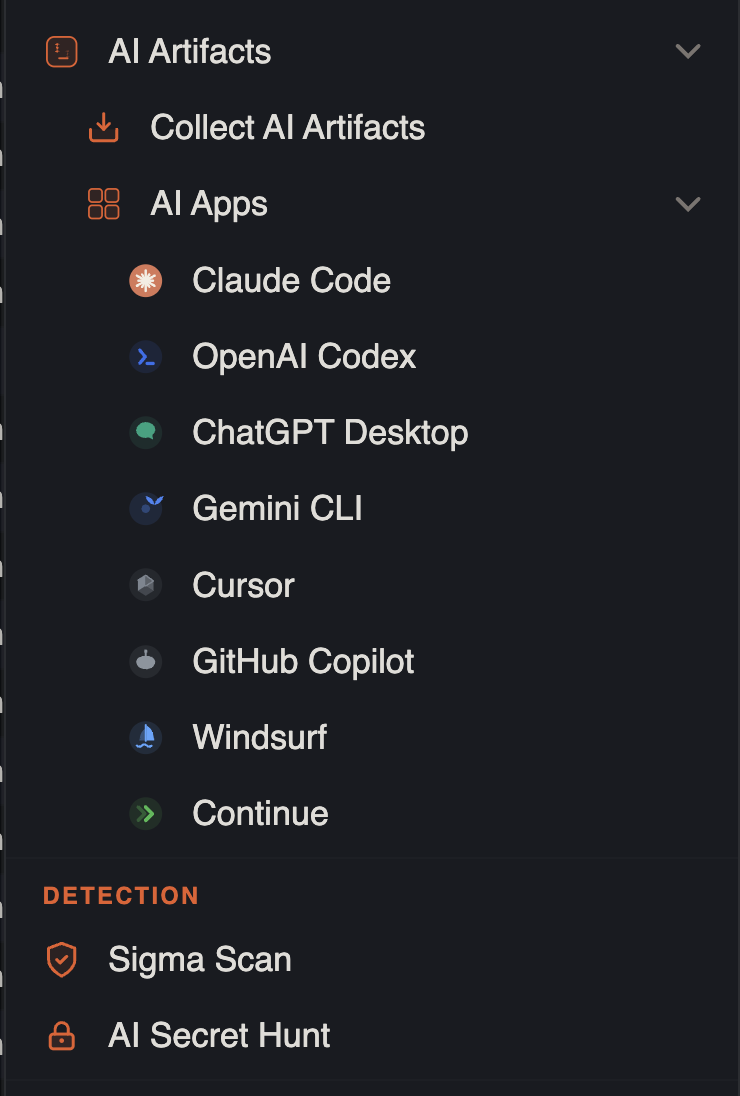
- Menu: Tools → Analysis → AI Artifacts → Collect AI Artifacts
- Per-app import: Tools → Analysis → AI Artifacts → AI Apps → … (Claude Code, OpenAI Codex → Codex AI History / ChatGPT Computer History, Grok → Grok Build / Grok Bot, ChatGPT Desktop, Gemini CLI, Cursor, Copilot, Windsurf, Continue)
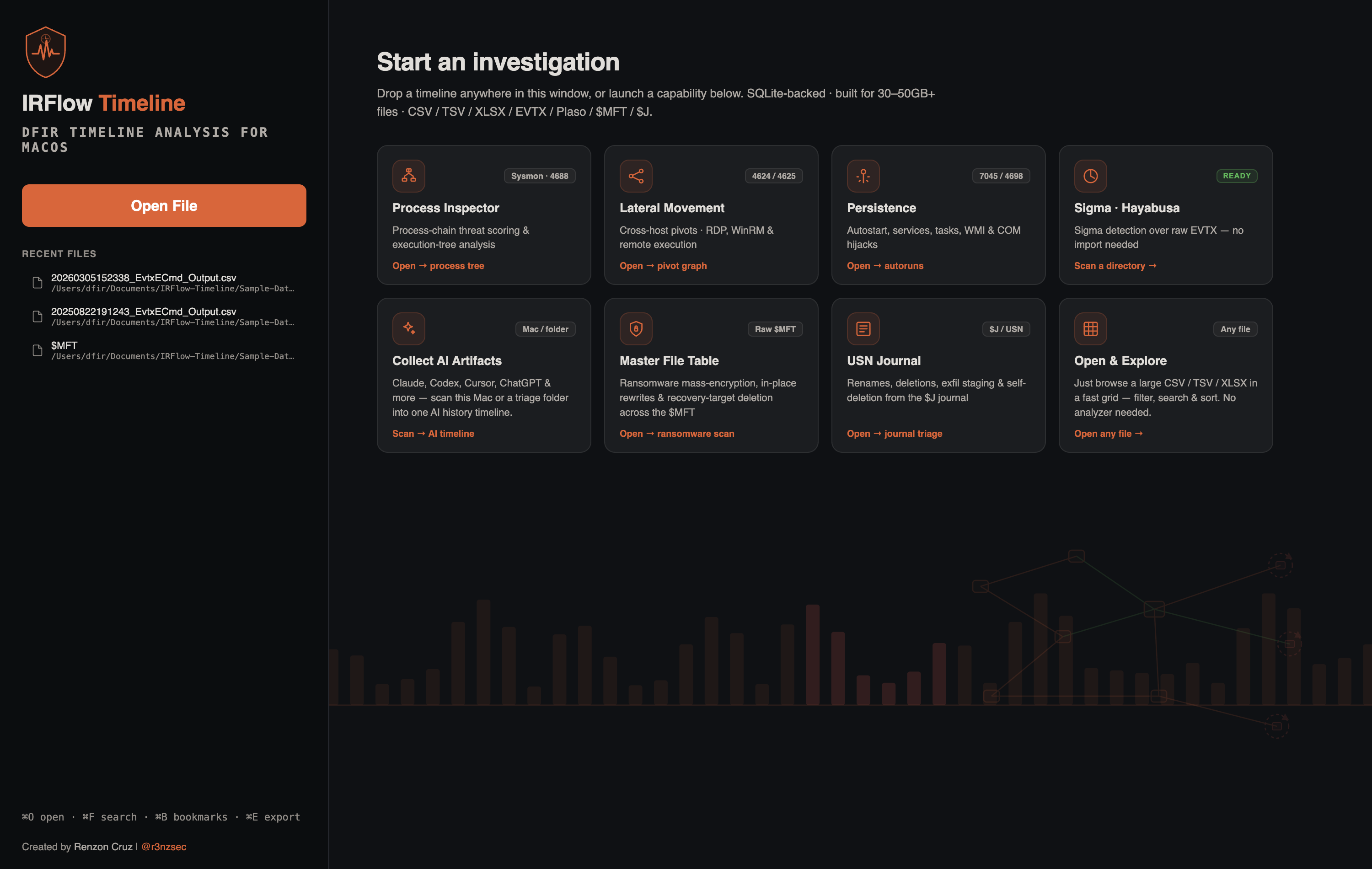
- Home launcher: Collect AI Artifacts tile on the capability launcher
- Single artifact: File → Open… on a supported AI app folder or file
- Output: one AI Query History timeline tab
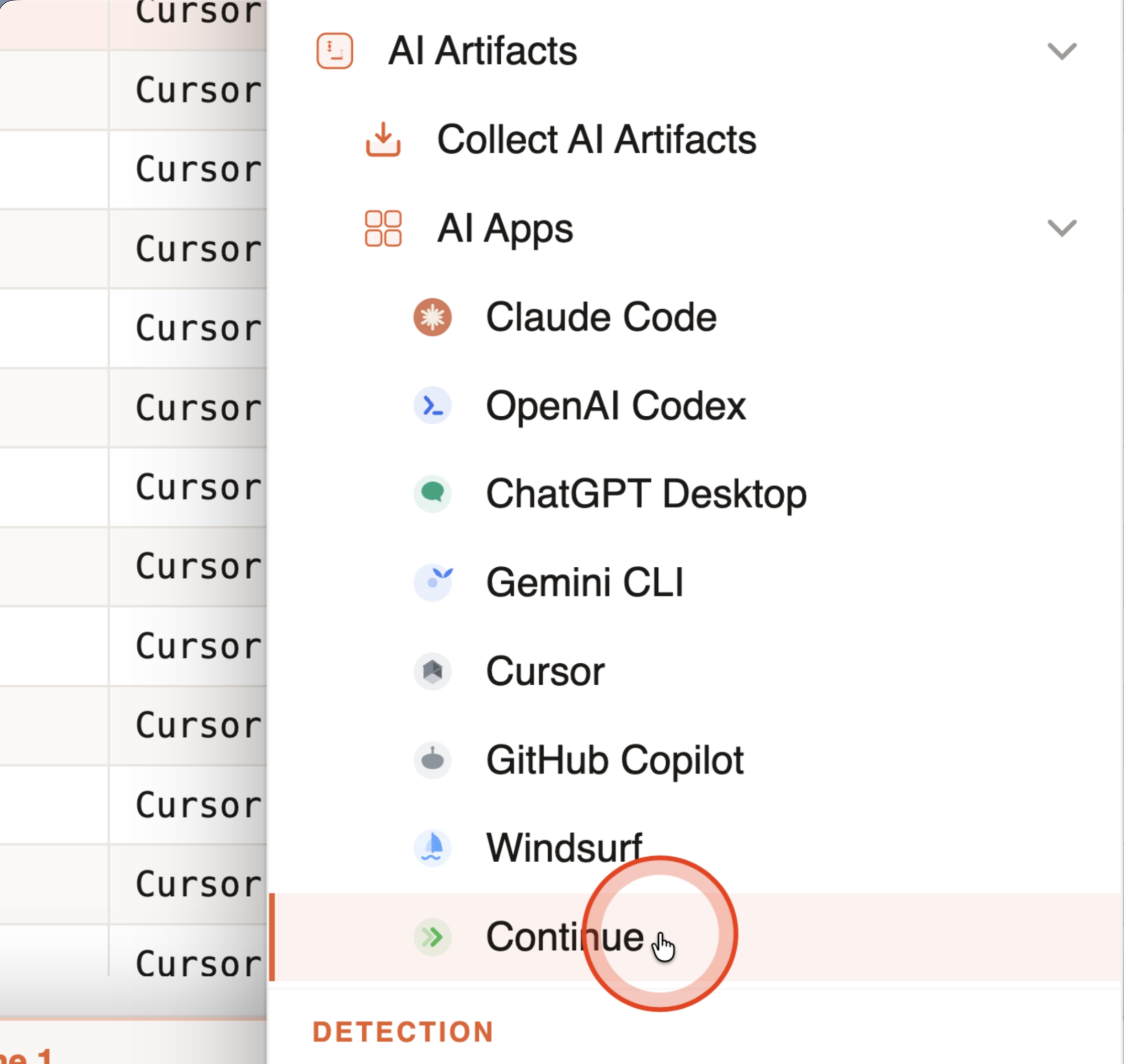
Use Collect AI Artifacts for live Mac triage, KAPE collections, mounted disks, copied profile folders, or external triage packages. Use AI Apps or File → Open… when you already know the specific AI artifact root, such as .claude, .codex, .grok, .grokbot, .cursor, .gemini, or a supported app data directory.
What It Captures
| Evidence | Why it matters |
|---|---|
| User prompts | Shows user intent, pasted data, searched commands, and questions asked during the incident window. |
| Assistant responses | Preserves generated commands, code, explanations, and possible operational guidance. |
| Invoked tools or actions | Captures shell/editor/model tool calls when the AI app records them locally. |
| Session metadata | Groups prompts and responses into conversations for timeline review. |
| Workspace paths | Connects AI activity to repositories, production directories, mounted evidence, or sensitive project paths. |
| Source files and line hints | Lets analysts trace a row back to the original local artifact. |
| User and host attribution | Helps map AI activity back to an endpoint profile or KAPE collection path. |
| Possible secrets | Review with Tools → Detection → AI Secret Hunt for exposed keys, private keys, tokens, and credentials. |
Supported AI Apps
IRFlow scans local artifacts from these AI apps:
| App | Local evidence handled |
|---|---|
| Claude Code | CLI history and project JSONL transcripts under .claude. |
| Claude Desktop | claude-code-sessions metadata, recursive Cowork local-agent-mode-sessions transcripts and audit trails, plus deletion tombstones, staged uploads, usage windows, scheduled tasks, and workspace sightings. |
| OpenAI Codex | history.jsonl, current/archived rollout JSONL, session indexes, and versioned state*.sqlite thread/subagent/tool metadata. |
| Grok Build | Timestamped prompts, responses, exact tool inputs, shell completions, session metadata, and file-hunk records under .grok, plus the session search index, application log, and open-session record. |
| Grok Bot | Account/agent persistence, retained transcript replicas, typed tool calls, approval state, send journals, drafts, automation events, daemon state/logs, link-preview cache, and staged-attachment references. |
| ChatGPT Desktop / Atlas | Local LevelDB and SQLite stores plus v2/v3 conversation-bundle metadata inventory. |
| Gemini CLI | Current JSONL chats, nested subagent sessions, exact shell history/tool commands, and legacy session data under .gemini. |
| Cursor | Agent transcripts, composer/workspace SQLite chat stores, and conversation-search.db indexed bodies. |
| GitHub Copilot | Copilot CLI sessions, exact command history, plans/checkpoints, safe session-store metadata, and VS Code-family chat sessions. |
| Windsurf | VS Code-family workspace/global chat stores and Cascade inventory. |
| Continue | Local session JSON files under .continue. |
For exact paths, collection notes, and parser caveats, see AI Query History and the per-app guides for Claude, ChatGPT / Codex, Grok, Cursor, and Gemini.
Collect Modes
This Mac
Scans the current analyst profile using the same local paths IRFlow knows how to parse. This is useful for validating the workflow, reviewing your own workstation, or quickly checking whether AI history exists before building a collection profile.
Browse Folder
Scans a selected folder such as a KAPE collection, copied user profile, mounted disk, or triage package. IRFlow walks common Windows, macOS, and Linux profile layouts and only reads AI roots that resolve inside the selected scope.
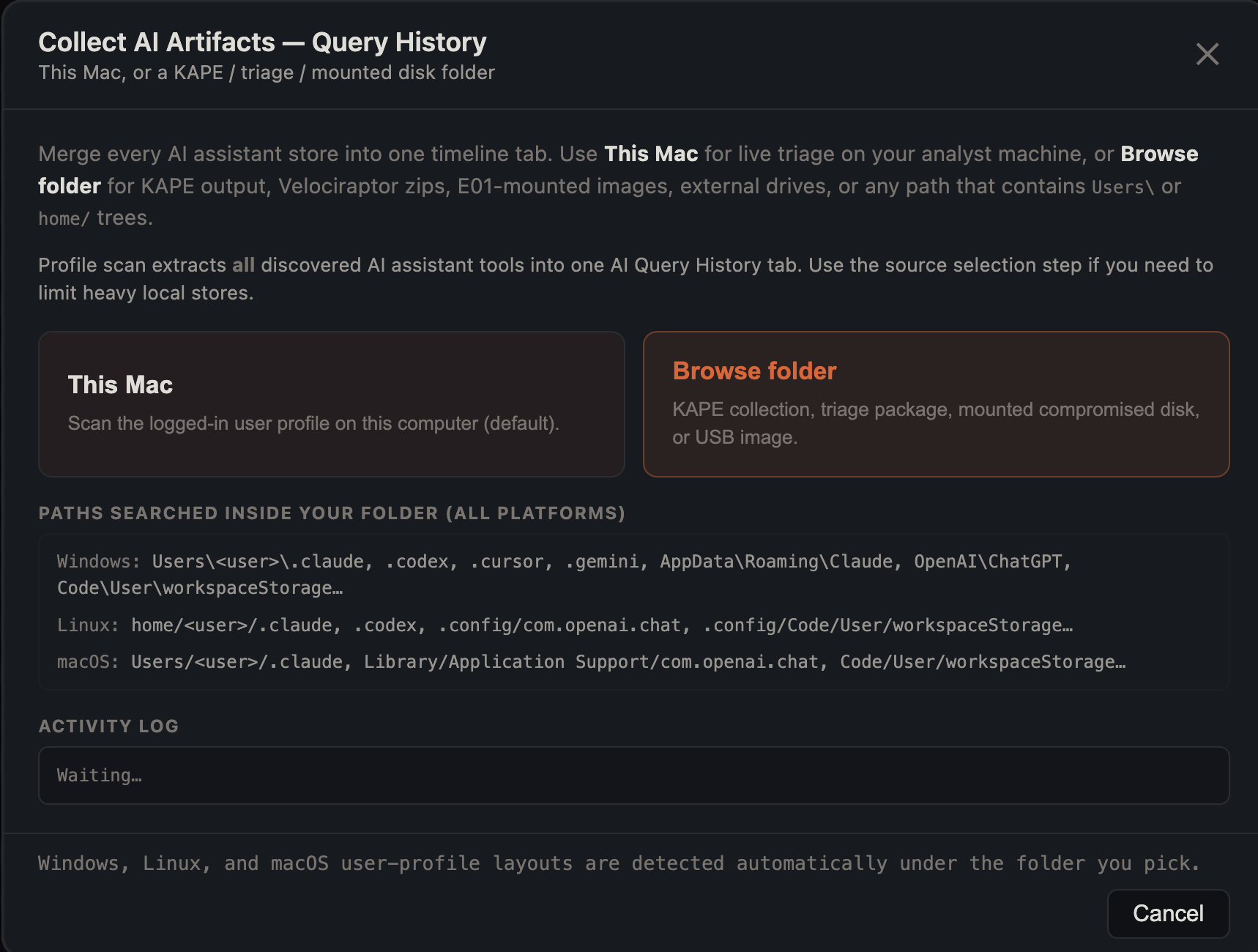
This scope confinement matters for incident response: a scan pointed at a collection folder should not silently read unrelated local analyst data.
AI Secret Hunt
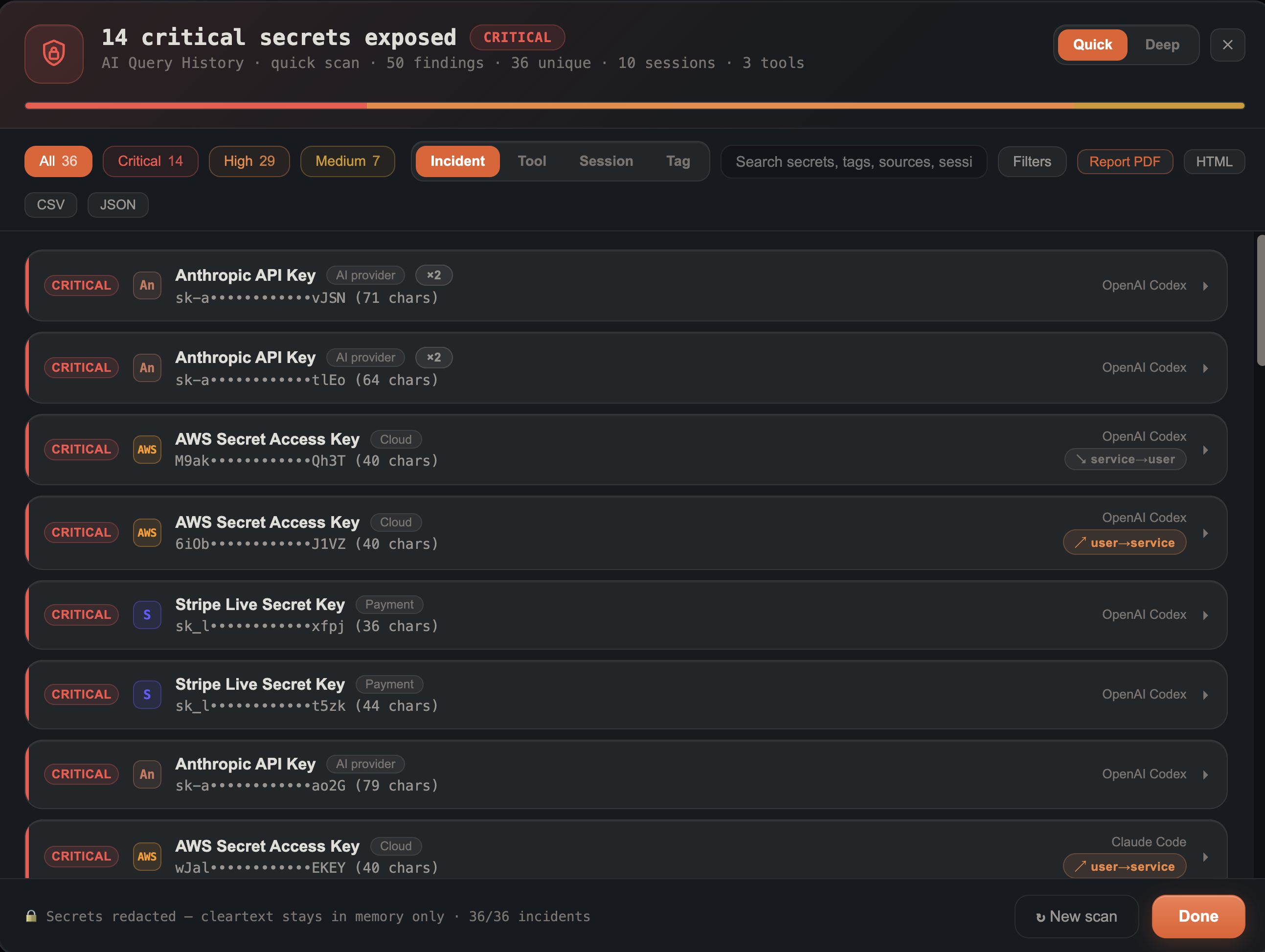
On an AI Query History tab, run Tools → Detection → AI Secret Hunt to review extracted history for possible sensitive data exposure. It is designed for analyst triage, not as a replacement for enterprise secret-scanning controls.
It helps find:
- API keys and service tokens
- PEM private-key blocks
- Cloud access keys
- Credentials and connection strings
- High-confidence provider-specific secret formats
Results are redacted by default (cleartext is never written to disk). Analysts can reveal evidence when needed, tag findings, group by tool or session, open source rows, and export a redacted PDF/HTML exposure brief or CSV.
Key Columns
| Column | Meaning |
|---|---|
| Timestamp | Best available event time for the prompt, response, tool call, or metadata row. |
| Tool | The AI app family, such as Claude Code, OpenAI Codex, Grok Build, Grok Bot, Cursor, or ChatGPT. |
| InvokedTool | A tool/action called inside the AI app, such as a shell command or editor operation. Older saved tabs may still show the legacy ToolName header. |
| ToolCommand | Exact command value recorded for a shell/function call. Array-valued commands remain JSON so argument boundaries are preserved. |
| ToolInput | Original structured arguments for the tool call. Rows containing multiple calls retain a JSON array with each tool name and input. |
| ToolDescription | Description or purpose stored with the tool invocation, when present. |
| Role | User, assistant, tool, system, or metadata role. |
| Summary | Grid-friendly preview for scanning large timelines. |
| FullText | Complete message body for row detail, search, secret scan, and export. |
| SessionId | Conversation or transcript identifier. |
| Workspace | Project, cwd, repository, or folder context when available. |
| SourceFile | Original artifact path used to produce the row. |
| AlsoInTools | Other AI apps where the same prompt appeared after dedupe. |
Stores that outlive the conversation
Deleting a conversation does not delete everything it left behind. Both Grok Build and Claude Desktop keep stores outside the session directories, written independently of them — which makes them the highest-value targets when the transcripts are already gone.
| App | Artifact | What it evidences |
|---|---|---|
| Claude Desktop | deleted_<session-uuid> tombstone | That a conversation existed and when it was deleted — the filename is the session id, the file content is the epoch-ms deletion time. It does not recover the content. |
| Claude Desktop | pending-uploads/ | What the user attached or pasted into a conversation. Inventoried by path, size and staging time; content is never read. |
| Claude Desktop | plan-usage-history.json | Contiguous windows during which the app was in use, derived from usage-sample spacing. |
| Claude Desktop | scheduled-tasks.json, git-worktrees.json | Agent runs configured to fire without user interaction, and workspaces with last-seen times. |
| Grok Build | sessions/session_search.sqlite | Indexed transcript text — it mirrors the session and survives deleting the session directory. |
| Grok Build | logs/unified.jsonl | Tool executions with outcome and duration, plus turn boundaries. Records that a tool ran, never the command. |
| Grok Build | active_sessions.json | Sessions open at acquisition, with pid and working directory. |
Select the app-support folder (~/Library/Application Support/Claude) rather than claude-code-sessions — three of the Claude Desktop stores are siblings of that directory, and a scan never walks up out of the folder you authorized. Discovery already prefers the parent.
~/.grok/memtrace/ is not parsed: despite the name it is a memory profiler trace, not agent memory, and carries no conversation content.
ChatGPT Computer History
Computer History is a separate, opt-in macOS feature of the ChatGPT desktop app. It is not conversation history: it records an interaction-event stream from the host — app focus changes, clicks, keystrokes, shortcuts, selections, drags, and the window and URL context macOS exposes through its accessibility system — and periodically distils it into natural-language activity summaries. It is off by default, limited to Pro/Business/Enterprise plans, and is not available in the EEA, Switzerland, or the UK. It replaced the screenshot-based Chronicle research preview in August 2026.
Because these are OS-level activity events rather than prompt/response turns, they open in their own tab with a dedicated column set rather than the AI Query History columns.
| Artifact | Location | Retention |
|---|---|---|
| Raw event stream | ~/Library/Group Containers/2DC432GLL2.com.openai.sky.CUAService/Library/Caches/ComputerUse/Skysight/segments/<bucket>/{events.jsonl,metadata.json} | ~48 hours, then purged |
| Activity summaries | ~/.codex/memories/extensions/skysight/resources/<ts>-<id>-(10min|6h)-*.md | Until the user clears them |
| Feature state | ~/.codex/config.toml → [plugins."computer-history@openai-bundled"] enabled | Persistent |
Both stores are plain text and unencrypted — readable by any process running as the same macOS user, which cuts both ways for acquisition and for risk.
What the parser adds beyond the raw events:
- Credential entry. Targets carrying the
AXSecureTextFieldsubrole are labelled as credential entry. This time-anchors that a password was typed, in which field and which app — it does not recover the password. macOS Secure Input Mode blocks the recorder's event tap while a password field holds focus, so the keystrokes consume event ids without ever being written to disk. - File and menu selection. Finder row selections and menu commands are captured; these events carry no selected text and would otherwise appear as empty rows.
- Capture fidelity. Everything flows through the macOS Accessibility API, so depth varies by app.
FidelityTieris resolved once per application, from the largest full accessibility tree that application produced. In genuine Tier 3 apps, outbound typed text is captured while inbound message content is not — such a capture is one side of a conversation and must not be presented as a conversation record. The tier tracks the UI toolkit, not the app category: Electron and Chromium apps expose full message text, hardened native UIs expose little. CheckAxLengthfor the bundle in your own capture rather than assuming a tier from the app's name. - Screen text is qualified.
ScreenTextis only a screen snapshot whenAxModeisfullTree; most events arediffFromPreviousand carry only what changed. - Deletion detection. Closed segments are reconciled against their own metadata event count. A shortfall is reported as a derived lead consistent with the app's "clear last 10 minutes / hour / day" control. Summaries cleared through that control are recovered read-only from the Codex memories git history, with the time they were removed.
- Gap interpretation. A missing segment bucket is only flagged when the event-id chain is actually broken across it; an unbroken chain means the host was idle, not that data was deleted. Event ids reset to 1 whenever the recorder restarts, so continuity is only meaningful within a run — across a restart boundary the id chain cannot assess deletion either way.
- Attribution. Identity rows collect the ChatGPT account, signed-in identity, and per-app device identifiers, each labelled with how strongly it identifies an account rather than a device. Codex conversations are dated from their identifiers and joined to the timeline, with deleted conversations flagged — the prompt typed into a deleted conversation is often still recorded in the event stream. No token material is stored or exported.
- Coverage. Feature-state rows record whether the feature was enabled and what configuration survives on disk, so an absence of events for an app is not misread as inactivity. The recording allow/exclude scope itself is an account-side setting and is not resolvable from local artifacts — note it as unknown rather than inferring it from
ComputerUseAppApprovals.json, which belongs to the separate Computer Use agent feature.
Performance and Safeguards
- Large scans run through a background worker with a bounded heap and stream rows into SQLite instead of retaining a whole source in memory.
- Folder walking, JSONL parsing, hashing, and SQLite work share a cancellation signal.
- Merged AI timelines cap at 3,000,000 rows and report truncation.
- Malformed or oversized JSONL records are counted in the source ledger rather than silently disappearing.
- Subagent or sidechain content can be included for broader hunts, but main-session-only scans are faster for first-pass triage.
- Tool inputs can contain paths, prompts, or secrets. Treat
ToolCommandandToolInputas evidence and apply the same access controls used for full message text. - View AI Extraction Coverage distinguishes a complete qualified inventory from a partial acquisition and lists the status, reason, and row count per source.
- Tools → Export → Export AI History Package… includes the filtered timeline CSV plus a format-v2 source/acquisition manifest, coverage state, hashes where permitted, and a restore recipe.
Limitations
- Browser-only AI usage may require browser profile collection; local desktop/CLI history is not the same as cloud account history.
- Consumer Grok web/mobile history is not decoded as a native app store. Browser history/cache may still show
grok.comor X/Grok usage and should be collected separately. - Grok Bot Windows/Linux profile discovery is covered by offline layout tests, but the native parser is qualified against the reviewed macOS artifact set; unavailable cloud history remains outside the claim.
- Grok Build credential/configuration files such as
auth.jsonandmcp_credentials.jsonare deliberately excluded from timeline parsing; preserve them under appropriate evidence controls when authorization material is in scope. - ChatGPT Desktop
conversations-v2-*andconversations-v3-*bundles are inventoried, not decoded. - Gemini macOS desktop app history is not parsed; Gemini CLI local sessions are supported.
- Proprietary Windsurf Cascade protobuf bundles are preserved as inventory unless decoders are available.
- Secret detection is intentionally conservative and should be reviewed by an analyst before reporting.
- Computer History raw events are advertised as a ~48 hour rolling window while the recorder is running. A stopped recorder can leave recent segments on disk longer. On a truly stale image the derived summaries and
~/.codex/memories/are still the copies that outlive a running purge, and they are model-generated interpretation, not primary evidence. - Computer History
terminal.value_changedevents carry visible terminal scrollback (often during SSH/sudo password prompts). They time-anchor that a command opened a password prompt; they do not recover the password. - Computer History activity summaries can be self-redacting; the generator omits content it judges sensitive, so a summary may understate what the raw events showed.
- The local ChatGPT analytics event store is uploaded and cleared, with freed pages zeroed. Expect it empty on anything but a fast live acquisition, and treat its absence as normal rather than as evidence the feature was unused.