AI Query History and AI App Artifacts
IRFlow Timeline includes a native AI Query History extractor for investigating local AI assistant usage during incident response. It parses local desktop, CLI, and editor-assistant stores into one timeline so analysts can review prompts, responses, tool calls, workspaces, source files, and possible pasted secrets.
For the feature-level overview, see AI Artifacts. This guide is the deeper artifact inventory and investigation workflow.
AI History vs AI Prompts
IRFlow collects user prompts, but the evidence scope is broader than prompts alone. AI Query History includes prompts, assistant responses, tool calls or invoked actions, session metadata, timestamps, workspace paths, source files, model data, and endpoint user/host attribution when available.
This makes AI-assisted activity usable as timeline evidence. Analysts can answer questions such as whether a user pasted credentials into an AI tool, asked for help with suspicious commands, generated code for a sensitive workspace, or received output that exposed secrets.
Supported today:
| Tool | Status |
|---|---|
| Claude Code | CLI ~/.claude/ + Claude Desktop claude-code-sessions/ (separate stores) |
| OpenAI Codex | $CODEX_HOME or ~/.codex/ — history.jsonl, sessions/**/rollout-*.jsonl, archived_sessions/ |
| ChatGPT Desktop | LevelDB + SQLite under app data dirs (see paths below); encrypted conversations-v2-* on newer macOS builds are not decrypted |
| Gemini CLI | ~/.gemini/tmp/<hash>/chats/session-*.json, tmp/<hash>/logs.json (legacy), and checkpoint-*.json |
| Cursor | $CURSOR_AGENT_HOME or ~/.cursor/projects/.../agent-transcripts/*.jsonl (and some .txt logs) |
| GitHub Copilot | VS Code / VSCodium workspaceStorage/*/chatSessions/ + globalStorage/emptyWindowChatSessions/ |
| Windsurf | Windsurf/User/workspaceStorage/*/state.vscdb (VS Code–family chat keys) |
| Continue | ~/.continue/sessions/*.json |
Canonical artifact paths (what IRFlow scans)
IRFlow’s Collect AI Artifacts, triage detection, and File → Open defaults use the paths below (aligned with as-aix, vendor docs, and DFIR writeups).
| Tool | Platform | Path |
|---|---|---|
| Claude Code (CLI) | all | ~/.claude/history.jsonl, ~/.claude/projects/**/*.jsonl |
| Claude Desktop | macOS | ~/Library/Application Support/Claude/claude-code-sessions/ (local_*.json index linked to ~/.claude/projects/<slug>/<cliSessionId>.jsonl) |
| Claude Desktop | Windows | %APPDATA%\Claude\claude-code-sessions\ |
| Claude Desktop (legacy) | all | .../Claude/local-agent-mode-sessions/ (pre-2026 rename; IRFlow scans both) |
| OpenAI Codex | all | $CODEX_HOME or ~/.codex/ |
| ChatGPT | macOS | ~/Library/Application Support/com.openai.chat/, ~/Library/Application Support/OpenAI/Atlas/ |
| ChatGPT | Windows | %APPDATA%\OpenAI\ChatGPT\, MS Store %LOCALAPPDATA%\Packages\OpenAI.ChatGPT-*\LocalCache\Roaming\ChatGPT\ |
| ChatGPT | Linux | ~/.config/com.openai.chat/ (and related variants) |
| Gemini CLI | all | ~/.gemini/tmp/<project_hash>/chats/, checkpoint-*.json |
| Cursor | all | ~/.cursor/projects/<slug>/agent-transcripts/ |
| GitHub Copilot | all | %APPDATA% or ~/Library/Application Support → Code, Code - Insiders, VSCodium (+ Insiders) → User/workspaceStorage/<hash>/chatSessions/ |
| Windsurf | all | ~/Library/Application Support/Windsurf/User/ (or ~/.config/Windsurf/User/) — workspaceStorage/*/state.vscdb |
| Continue | all | ~/.continue/sessions/*.json |
Composer DBs: IRFlow reads Cursor
globalStorage/state.vscdb, workspacestate.vscdb, and~/.cursor/chats/**/store.db(SQLitecursorDiskKVbubble messages). ChatGPT encryptedconversations-v2-*bundles appear as inventory rows (not decrypted — Keychain-gated on macOS). Codexstate.sqlitecontributes thread-index metadata rows when present (full text remains in rollout JSONL). Windsurf Cascade.pbfiles are inventoried but protobuf bodies are not decoded. Browser-only AI usage may only appear under Chrome, Edge, Firefox, and Safari profiles — profile scan empty reports list likely browser paths when found.
Artifact coverage and IR value
IRFlow separates AI evidence into three categories:
| Category | Meaning |
|---|---|
| Parsed history | Message/session rows are extracted into the AI Query History grid. |
| Inventory-only | The artifact is detected and reported, but message bodies are not decoded. |
| Browser hints | Browser paths likely to contain web-only AI activity are reported so the profile can be collected separately. |
| App | Artifact | Status | Why it matters in incident response |
|---|---|---|---|
| Claude Code | ~/.claude/history.jsonl | Parsed | Fast prompt history for user intent, suspicious questions, credential pasting, and session pivots. |
| Claude Code | ~/.claude/projects/**/*.jsonl | Parsed | Full prompts, responses, tool-use records, attachments, file-history snapshots, model data, token counts, sidechain flags, and workspace context. |
| Claude Desktop | claude-code-sessions/**/local_*.json and legacy local-agent-mode-sessions/ | Parsed metadata + linked transcript rows | Proves Desktop "Code" usage and links local Desktop session metadata to .claude/projects transcripts when collected. |
| OpenAI Codex | history.jsonl, sessions/**/rollout-*.jsonl, archived_sessions/**/rollout-*.jsonl | Parsed | Shows AI-assisted actions, shell command intent, file edits, tool calls, workspace paths, and possible disclosure of sensitive data. |
| OpenAI Codex | session_index.jsonl, state.sqlite, VS Code-family agentSessions.model.cache entries | Metadata supplement | Adds thread titles, session index context, and embedded Codex provider evidence when full rollout files are sparse or absent. |
| ChatGPT Desktop / Atlas | LevelDB and SQLite stores under app data directories | Parsed when local stores contain data | LevelDB often proves conversation existence and titles; SQLite stores can contain full user/assistant message bodies on supported app versions. |
| ChatGPT Desktop / Atlas | conversations-v2-* | Inventory-only | Newer encrypted local bundles are Keychain-gated on macOS. IRFlow reports their presence but does not decrypt them. |
| Gemini CLI | ~/.gemini/tmp/<hash>/chats/session-*.json, checkpoint-*.json, logs.json | Parsed | Captures local Gemini CLI prompts, responses, system/error records, and project-scoped CLI activity. |
| Cursor | ~/.cursor/projects/<slug>/agent-transcripts/**/*.{jsonl,txt} | Parsed | High-value Cursor agent evidence: instructions, responses, tool-use text, sidechain flags, and workspace attribution. |
| Cursor | globalStorage/state.vscdb, workspaceStorage/*/state.vscdb, ~/.cursor/chats/**/store.db | Parsed when SQLite support is available | Recovers composer/global/workspace chats that are not present in agent-transcript files. |
| GitHub Copilot | VS Code-family workspaceStorage/*/chatSessions/*.{json,jsonl} and globalStorage/emptyWindowChatSessions/* | Parsed | Reconstructs Copilot Chat tied to workspaces and captures chats created without a folder open. |
| GitHub Copilot | VS Code-family state.vscdb chat/session keys | Metadata/message supplement | Recovers chat session indexes, prompt arrays, or cached messages when chat session files are sparse. |
| Windsurf | Windsurf/User/globalStorage/state.vscdb and workspaceStorage/*/state.vscdb | Parsed when SQLite support is available | Captures global and workspace Windsurf chat/session evidence. |
| Windsurf | globalStorage/windsurf.cascade/**/*.pb | Inventory-only | Flags proprietary Cascade protobuf bundles for preservation. Message bodies are not decoded. |
| Continue | ~/.continue/sessions/*.json | Parsed | Captures Continue.dev local prompts/responses and maps them to the workspace directory. |
| Browser AI usage | Chrome, Edge, Firefox, and Safari profile storage paths | Hint-only | Browser-only ChatGPT, Claude, Copilot, and Gemini usage may require browser profile collection or vendor export. |
Tool identifies the AI app family, such as OpenAI Codex or Claude Code. InvokedTool is reserved for an invoked function/tool inside that app, such as a shell command, editor operation, or model tool call. Provider names should not appear in InvokedTool; older saved tabs may still show the legacy ToolName header.
Summary is the grid-friendly preview. FullText preserves the richer message body for long prompts, responses, tool output, secret scanning, and export.
What it extracts
Claude Code stores conversation data as JSONL on disk:
| Artifact | Typical path |
|---|---|
| Prompt history | ~/.claude/history.jsonl |
| Full sessions | ~/.claude/projects/<project>/<session>.jsonl |
From a triage image, look under user profiles, for example:
C:\Users\<user>\.claude\/Users/<user>/.claude/(when collected from macOS endpoints)
Each message becomes a timeline row with Timestamp, Role, RecordType, Summary, FullText, InvokedTool, SessionId, Model, token counts (when present), IsSidechain, GitBranch, SourceFile, and a Description column for search and review. Claude session files also surface non-chat events (file snapshots, system/compaction markers, attachments, and similar).
When both history.jsonl and session JSONL contain the same prompt, the session copy is kept and the history duplicate is dropped.
ChatGPT Desktop
| Platform | Typical path |
|---|---|
| macOS | ~/Library/Application Support/com.openai.chat/ |
| macOS (Atlas) | ~/Library/Application Support/OpenAI/Atlas/ |
| Windows (standalone) | %AppData%\Roaming\OpenAI\ChatGPT\ |
| Windows (MS Store) | %LocalAppData%\Packages\OpenAI.ChatGPT-Desktop_*\LocalCache\Roaming\ChatGPT\ |
ChatGPT stores vary by version:
- LevelDB (
Local Storage/leveldb/*.ldb) — conversation titles and timestamps (roleconversation). - SQLite — full user/assistant message bodies when the app version writes them locally.
OpenAI Codex (CLI / Desktop)
| Platform | Typical path |
|---|---|
| macOS / Linux | ~/.codex/ (override with CODEX_HOME) |
| Windows | %USERPROFILE%\.codex\ |
| Artifact | Contents |
|---|---|
history.jsonl | Prompt log (session_id, ts, text) |
sessions/YYYY/MM/DD/rollout-*.jsonl | Full threads: user/assistant messages, shell tool calls, reasoning events |
archived_sessions/ | Archived rollout files |
session_index.jsonl | Thread titles (metadata) |
The macOS Codex app in ~/Library/Application Support/Codex is UI cache only; forensic content is under ~/.codex.
Gemini CLI
| Platform | Typical path |
|---|---|
| macOS / Linux | ~/.gemini/tmp/<hash>/chats/session-*.json or tmp/<hash>/logs.json |
| Windows | C:\Users\<user>\.gemini\tmp\<hash>\chats\session-*.json |
Each session-*.json file holds a messages array. Entries with type: "user" and type: "gemini" become timeline rows. Optional thoughts are noted as [Reasoning present] without dumping full reasoning text into the grid.
This is the Gemini CLI (npm/agentic CLI), not the official Gemini macOS desktop app (which is mostly cloud-synced).
Cursor
| Platform | Typical path |
|---|---|
| macOS / Linux | ~/.cursor/projects/<project-slug>/agent-transcripts/<session-id>/<session-id>.jsonl |
| Windows | %USERPROFILE%\.cursor\projects\... |
Each JSONL line is a user or assistant message with structured message.content blocks (text, tool calls). IRFlow uses embedded timestamp / createdAt values when present; file birth/mtime spreading is only a fallback for transcript rows without per-message time. Project slugs under projects/ decode to filesystem paths when possible. Subagent transcripts under subagents/ are skipped by default (same scope prompt as Claude/Codex).
GitHub Copilot (VS Code)
| Platform | Typical path |
|---|---|
| macOS | ~/Library/Application Support/Code/User/workspaceStorage/<hash>/chatSessions/ |
| Windows | %APPDATA%\Code\User\workspaceStorage\<hash>\chatSessions\ |
| Linux | ~/.config/Code/User/workspaceStorage/<hash>/chatSessions/ |
Sessions are stored as .json or .jsonl. JSONL replays kind: 0 / kind: 2 / kind: 1 lines (not only the last snapshot). Code - Insiders and emptyWindowChatSessions (chats with no folder open) are included. workspace.json beside each hash folder maps to the opened workspace path for the Workspace column.
How to use it in IRFlow

Collect AI Artifacts (all tools)
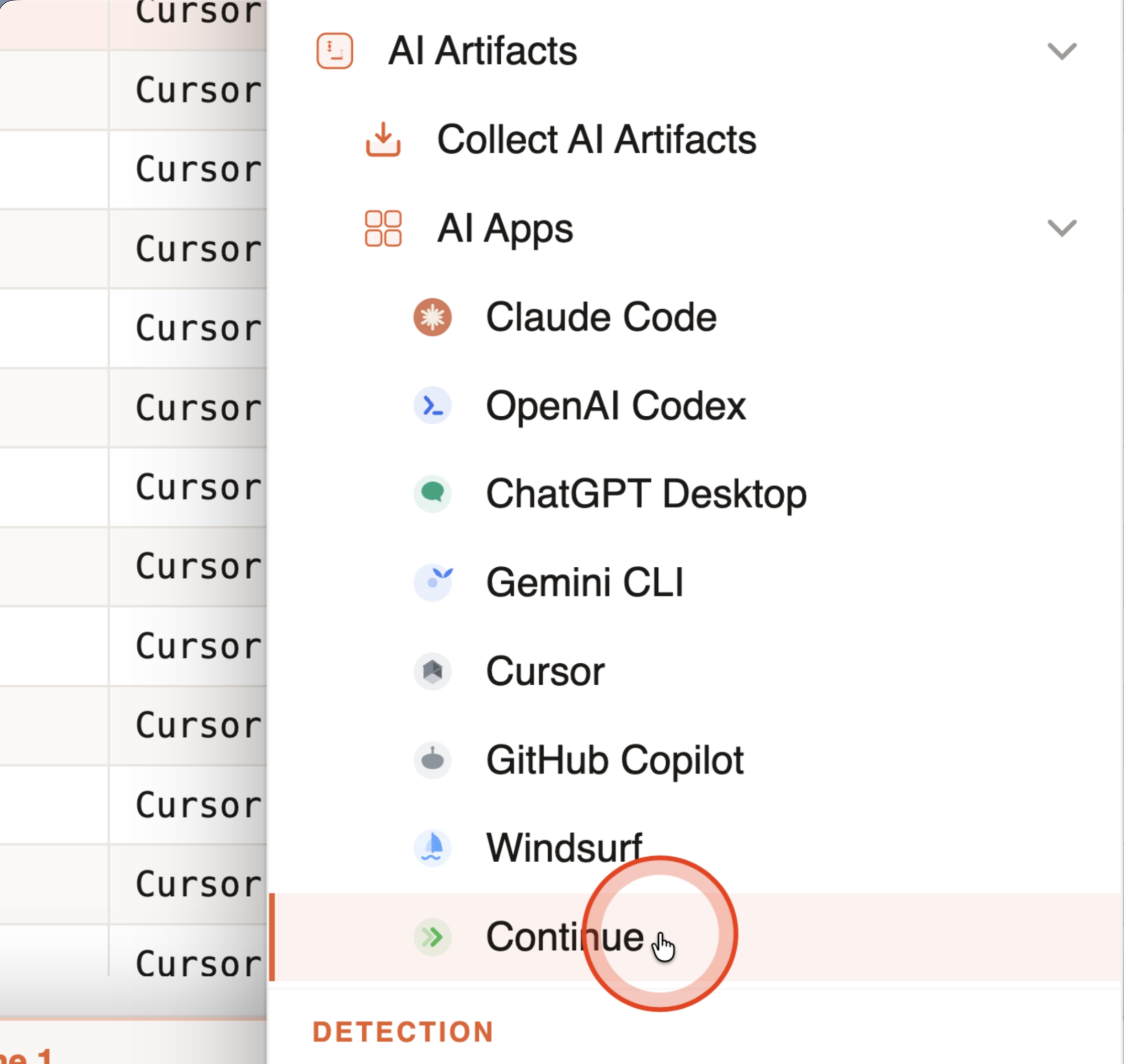
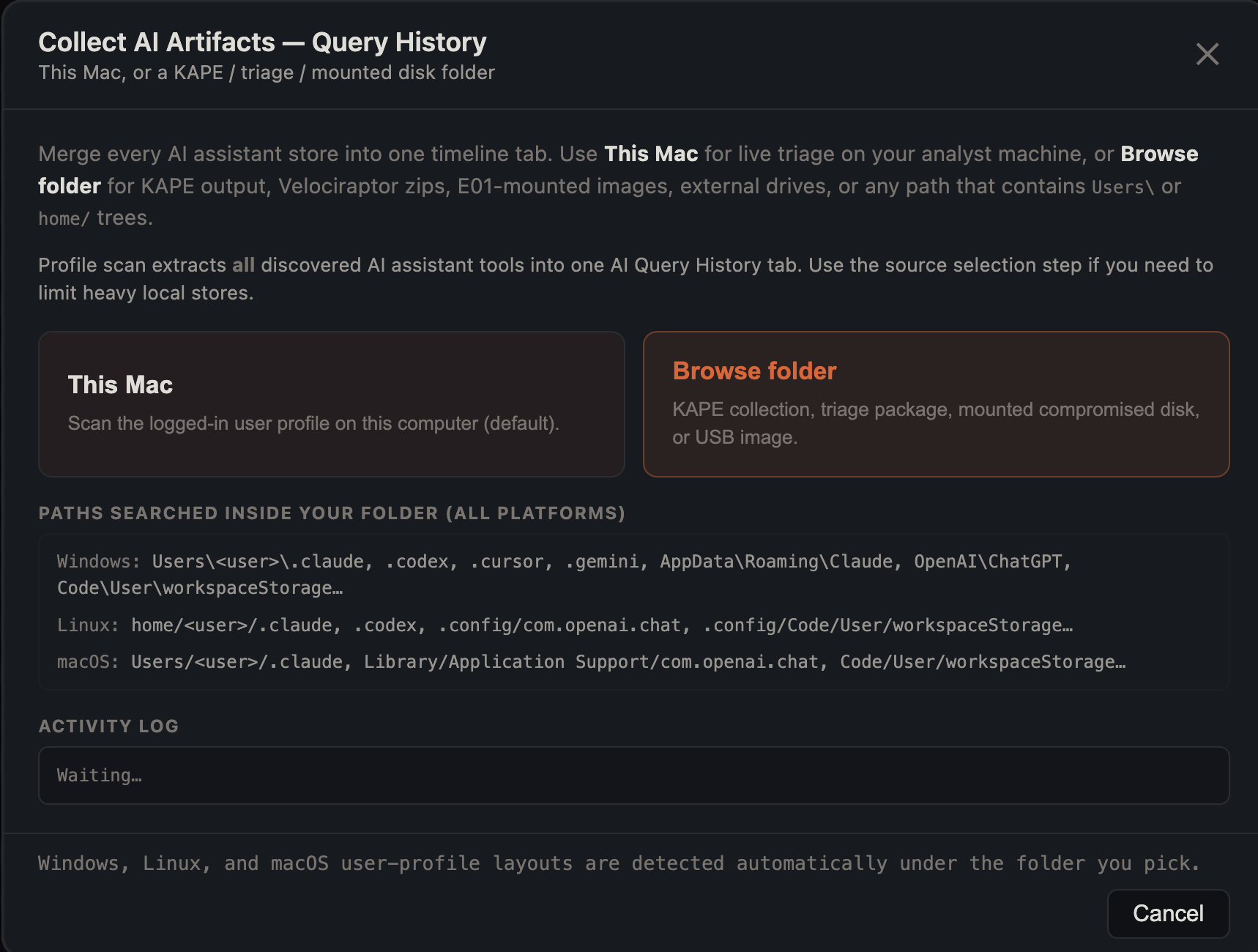
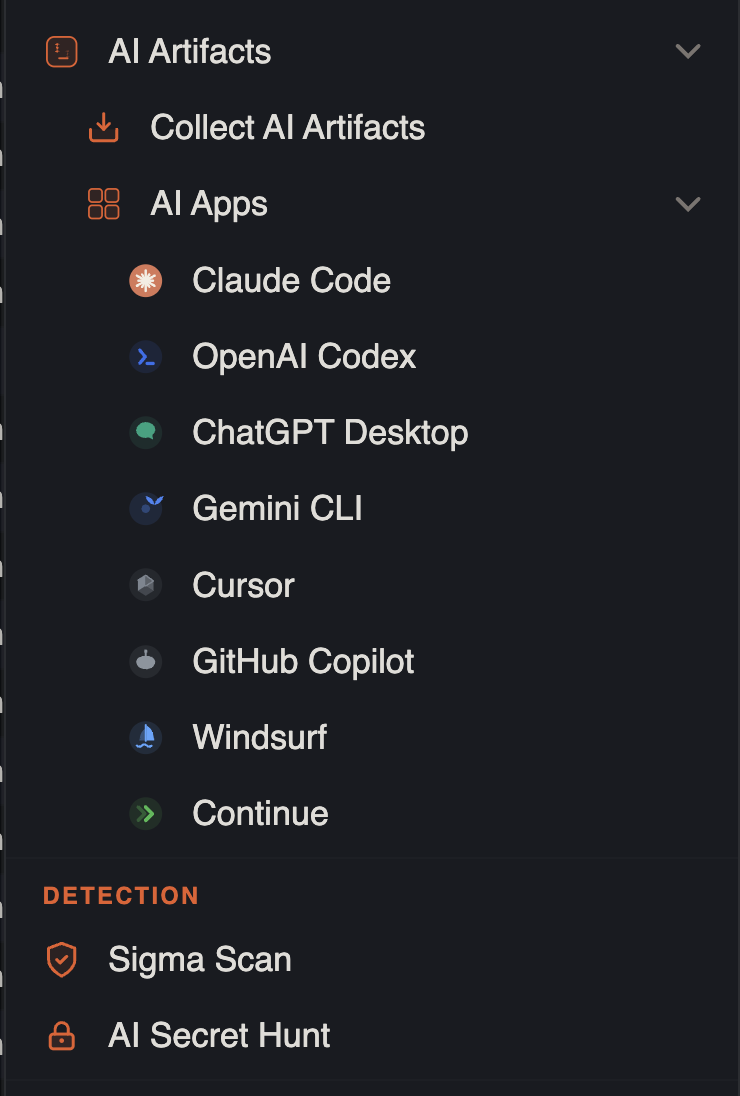
Tools → Analysis → AI Artifacts → Collect AI Artifacts… opens a progress modal with two targets:

- This Mac — the logged-in analyst profile (same paths as the table below).
- Browse folder… — KAPE collections, triage packages, mounted disks, or external drives. IRFlow walks the tree and matches Windows (
Users\<user>\…,AppData\Roaming\…), Linux (home/<user>/…,.config/…), and macOS (Users/<user>/Library/…) layouts automatically.
After discovery you choose main sessions only vs include subagents, then a live activity log shows per-source status, files read, and row counts.
All sources merge into one AI Query History tab with the KAPE profile (all roles visible; no row colors by default). Endpoint User is taken from Users\<name> / home/<name> when scanning collections.
Use this for a live Mac triage without a KAPE folder, or to sanity-check what is on your own machine before collecting from an endpoint.
Empty collection folder: If discovery finds no AI stores, the modal shows an expected paths checklist (Windows / Linux / macOS), flags when Users\ or home/ exists but AI paths were not collected, and suggests the AI assistant paths to add to the collection before rescanning.
Stale app session: If discovery falls back to an older IPC channel, a banner asks you to quit and restart IRFlow so preload loads discoverAiHistoryProfile.
Single artifact
Claude Code
- File → Open… and select your
.claudefolder (recommended), or use Tools → Analysis → AI Artifacts → AI Apps → Claude Code… - Dragging multiple
*.jsonlfiles from the same.claudetree consolidates into one timeline tab (not one tab per file). - Opening
history.jsonldirectly uses the AI history parser (properTimestamp,Role,Summarycolumns) — not the generic CSV importer.
ChatGPT Desktop
- File → Open… and select the app data folder (e.g.
~/Library/Application Support/com.openai.chat), or Tools → Analysis → AI Artifacts → AI Apps → ChatGPT Desktop… - Selecting multiple
.ldb/ SQLite files from the same ChatGPT data folder merges into one tab. - Hidden folders (e.g. under
Library/Application Support) are visible in the open dialog by default.
OpenAI Codex
- File → Open… and select your
~/.codexfolder (recommended), or Tools → Analysis → AI Artifacts → AI Apps → OpenAI Codex… - Imports
history.jsonlplus allrollout-*.jsonlundersessions/andarchived_sessions/(deduped against session prompts).
Gemini CLI
- File → Open… and select your
.geminifolder (recommended), or Tools → Analysis → AI Artifacts → AI Apps → Gemini CLI… - Multiple
session-*.jsonfiles from the same.geminitree consolidate into one tab.
Cursor
- File → Open… and select your
~/.cursorfolder (recommended), or Tools → Analysis → AI Artifacts → AI Apps → Cursor… - Multiple agent-transcript
.jsonlfiles consolidate into one tab. Subagent folders are skipped unless you choose Include subagents.
GitHub Copilot
- File → Open… and select
workspaceStorageor a specificchatSessionsfolder, or Tools → Analysis → AI Artifacts → AI Apps → GitHub Copilot… - All sessions for each workspace hash are merged into one tab per import path.
Windsurf
- File → Open… and select the Windsurf
Userfolder (e.g.~/Library/Application Support/Windsurf/User), or Tools → Analysis → AI Artifacts → AI Apps → Windsurf… - IRFlow reads
globalStorage/state.vscdband per-workspaceworkspaceStorage/*/state.vscdbchat keys; Cascade.pbbundles are inventoried but not decoded.
Continue
- File → Open… and select
~/.continueor asessions/folder, or Tools → Analysis → AI Artifacts → AI Apps → Continue… - Multiple
sessions/*.jsonfiles from the same tree consolidate into one tab.
IRFlow opens a new timeline tab with all extracted messages.
Large trees and performance
- File → Open on a
.claudeor.codexfolder skipssubagents/session paths by default (main thread only). This keeps triage imports fast on hosts with 80k+ JSONL lines. - Tools → Analysis → AI Artifacts → AI Apps → Claude Code / OpenAI Codex / Cursor asks whether to include subagent content when you pick a directory: Claude
subagents/folders and inline sidechains, CursorisSidechaintranscript lines, Codex forked threads (parent_session_idin session metadata). - Import progress shows per-source file status (e.g.
Reading session-12.jsonl (12/340)) while JSONL/SQLite is parsed, then row write progress.
Extraction safeguards
- Cancel — profile imports run in a worker thread; cancel uses a per-job abort check so a second import is not stopped by an earlier cancel.
- Row cap — merged profile extracts stop ingesting after 3,000,000 rows; the tab notice reports when the cap was hit.
- Malformed JSONL — Claude, Codex, and Cursor parsers count lines that fail JSON parse; the import notice reports the total so you know data may be incomplete.
- Scope confinement — when you pick a KAPE folder or collection root for AI extract, discovered artifact paths must resolve inside that folder; paths outside the scope (including
..traversal) are dropped. The same confinement applies whenever a browse folder path is set on Collect AI Artifacts, even if discovery also probed standard local paths. - Path authorization — folders and files chosen in File → Open, Tools → Analysis → AI Artifacts, and Collect AI Artifacts (browse) are registered in a scoped allow-list before read (same model as Sigma/KAPE scan targets). Renderer-supplied paths that were not picked in-app are rejected.
AI Secret Hunt
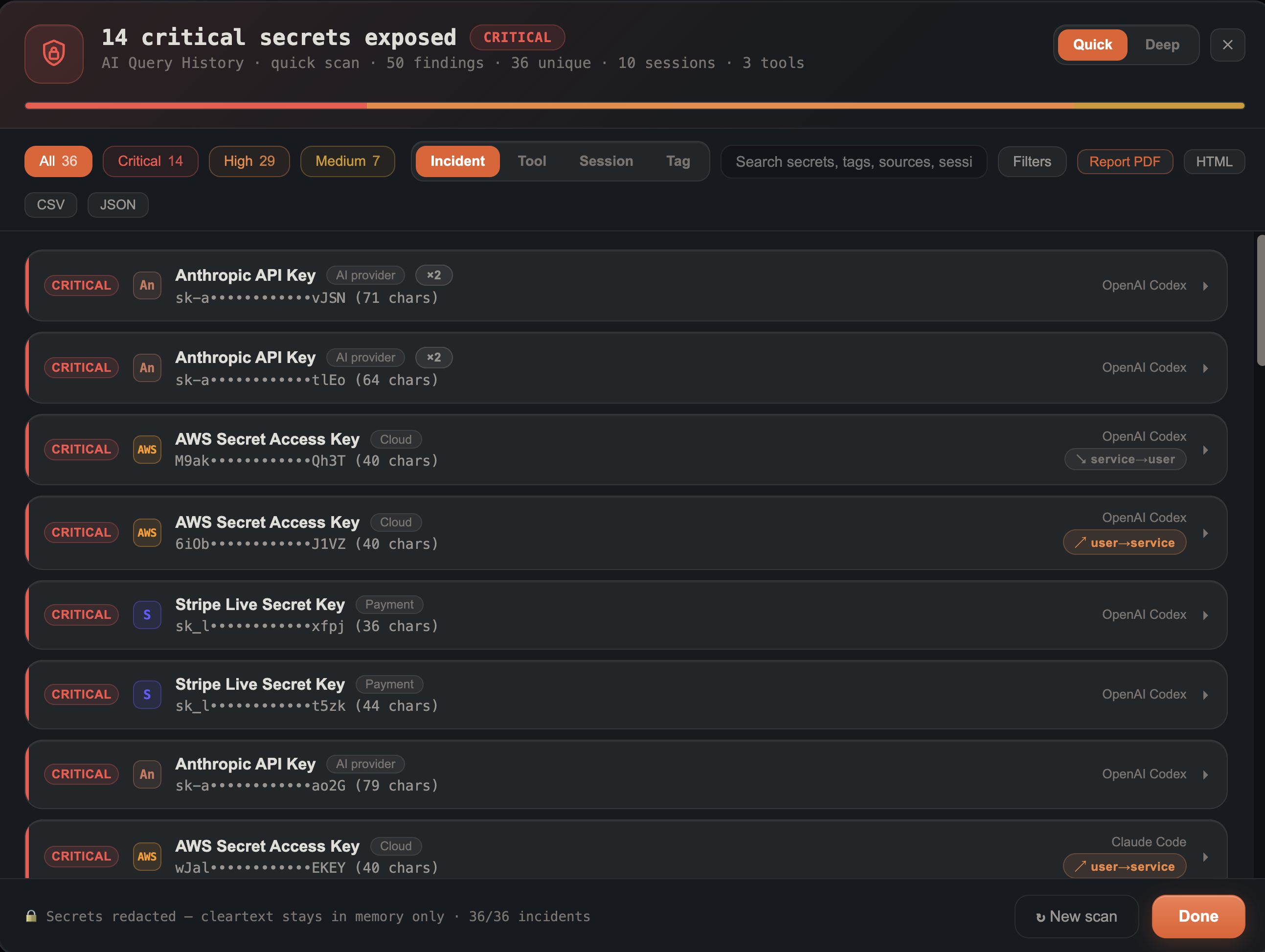
On an AI Query History tab, run Tools → Detection → AI Secret Hunt to scan prompts, responses, and tool output for API keys, tokens, private keys, credentials, and high-confidence secret patterns. Findings are redacted by default (cleartext is never written to disk). Group results by tool or session, tag rows for triage, jump to source evidence, and export a redacted PDF/HTML exposure brief or CSV.


Export for reporting
On an AI Query History tab, use Tools → Export → Export AI History Package… to write a folder containing:
| File | Purpose |
|---|---|
<tab>_timeline.csv | Current grid rows (respects filters, sort, visible columns) |
manifest.json | Each SourceFile path, row count, size, mtime, SHA-256 (first 250 files hashed) |
README.txt | Short description of the bundle |
Share the folder with counsel or attach it to a case folder; re-hash sources independently using the paths in manifest.json.
Investigation tips
- On an AI Query History tab, run AI Secret Hunt for credential and key exposure, then use Row Detail → Filter session / Correlate path (jumps to open Prefetch, EVTX/Sigma, or Amcache tabs with a column filter on the workspace executable/path).
- FullText holds the complete message when Summary is truncated; Row Detail also prefers FullText for Summary cells. Export AI History Package always includes FullText in the CSV even if the column is hidden in the grid.
- Merged profile scans dedupe identical prompts across tools (same role + message text) so Claude and Cursor duplicates collapse to one row. Provenance is preserved: the kept row's AlsoInTools column lists every tool the prompt appeared in (e.g.
Claude Code, Cursor), so the merge never hides which assistants ran the same prompt. - Copilot replays JSONL
kind:0/kind:2/kind:1lines, falls back to sibling.jsonlwhen.jsonis empty, and scansemptyWindowChatSessions. - Cursor uses per-message
createdAt/timestampfrom JSONL and composer DB when present; file-mtime spread is only a fallback. - Filter Role =
userto focus on analyst prompts;assistantfor model replies. - Use Description or full-text search on Summary for keywords (credentials, internal hostnames, exploit terms).
- Correlate Workspace (project/cwd) with suspicious repositories or production paths.
- User / Host columns are derived from the collection path when the artifact sits under
Users\<name>\or a KAPE host folder.
Extraction safeguards
Large profile scans, Collect AI Artifacts, and merged folder extracts share the same merge pipeline:
- Cancel — Stop during profile scans and folder-based AI artifact scans; the worker passes an abort token so parsing stops promptly (not only after the merge phase).
- Row cap — Merged timelines stop at 3,000,000 message rows by default; the import notice reports truncation and any skipped sources.
- Parse errors — Malformed JSONL lines (Claude Code, Codex, Cursor agent transcripts) are skipped and counted; the import notice reports how many lines failed.
- Folder scope — When you scan a chosen folder (KAPE output, triage root, mounted disk, or copied profile folder), discovered AI roots must lie under that directory; paths outside the scope are dropped.
Limitations
- Summary is truncated for grid display; use row detail Open source (and LineNumber for JSONL) to jump to the artifact on disk.
- Claude Code:
history.jsonland session files may overlap; both are extracted for completeness. - ChatGPT: newer builds may keep full chat text cloud-only — local LevelDB may contain titles/timestamps only.
- Official Gemini macOS desktop app is not parsed (cloud-first); only Gemini CLI local sessions are supported.